You can create an online assignment that allows students to annotate a file using the Quercus DocViewer annotation tools.
Instructions for Creating an Annotation Assignment
To create an Annotation Assignment select the Student Annotation option when creating an Online Assignment in Quercus.
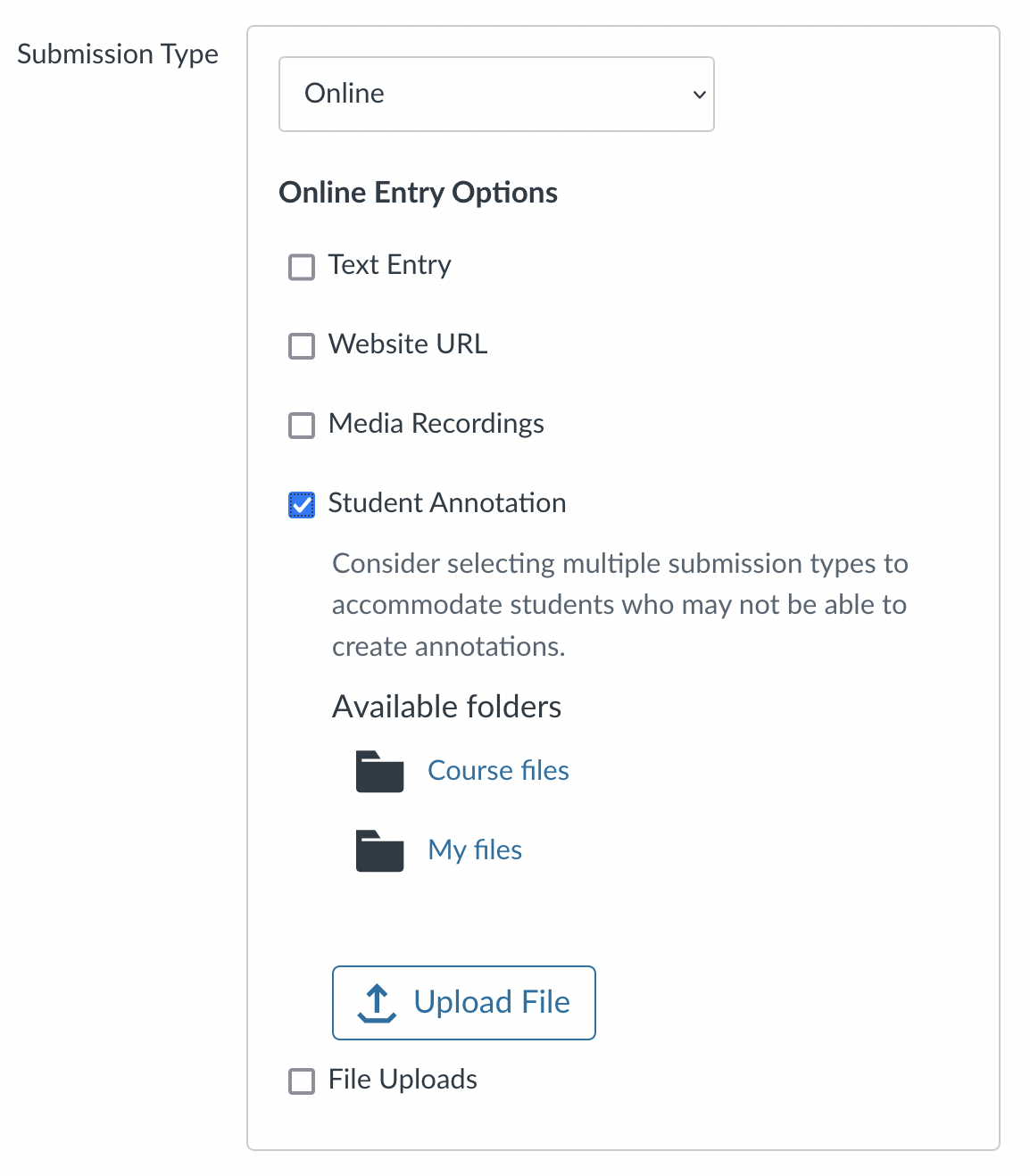
Additional information on creating an Annotation Assignment in Quercus can be found here:
https://community.canvaslms.com/t5/Instructor-Guide/How-do-I-create-an-online-assignment/ta-p/950
Instructions for students completing annotation Assignments can be found at the link below.
https://instructech.utm.utoronto.ca/student/quercus/submitting#annotation-assignment
NOTE: For instructions on how to create a Quercus Hypothes.is Integrated Assignment, please review the instructions below.
Quercus Hypothes.is Integrated Assignment:
https://teaching.utoronto.ca/tool-guides/hypothesis/